
Stop keeping five copies of your resume.
Vita keeps your career as structured data, with every job, skill, and award its own piece, and composes the right resume from it for every audience you apply to.
- Watch the film · 1:03
- Accessibility documented
- The app is coming soon
- $10/month, one plan
- Light and dark mode

One profile. Many audiences.
A folder of resume copies, a resume brought in, a held entry fixed, one profile tagged three ways, a posting tailored with a cover letter you can edit, 26 templates, and Copy, all on StrataForge Robotics data.
Read the film’s text version
Title: Vita. One career profile. Every resume you need. 2026. A bright, energized electronic score runs under the whole film, with a soft tick or hit on each action.
The hook: “A folder of resumes.” Six drawn file chips drop in, labeled as an illustration: Resume_v3, Resume_final, Resume_final_USE_THIS, and one for each audience, with six marks and the line “6 copies of one career.” Then “One profile.” and the real profile page of Kei Nakamura, a fictional StrataForge Robotics engineer: his name ringed, then the strip of tabs, “One profile · 32 items.”
Upload: As the beat drops: “Bring in the resume.” The real import card, with the line naming the five kinds it takes (PDF, Word, HTML, Markdown, and plain text) ringed, then the chosen file, then Import. “A profile of items.” Kei’s full profile, with the tabs for jobs, degrees, and patents ringed in turn and counted up, 1, 3, and 4, one mark for each of the 8 items.
Review: “Held for review.” The real review queue holds the entry the importer could not place, and its reason, start_date: Field required, is ringed. The view moves down to the Company and Start date fields. “Fix it. Approve.” The company reads StrataForge Robotics and the start date 2019-09-02, and the queue’s heading drops from 2 to 1, with two marks and one of them dimming.
Audiences: “Tag by audience.” The real compose screen, three times: the Audience tags field ringed with engineering, then the summary that tag brings, then the same for leadership and research. Three marks, one for each audience, and the rule in the code: untagged items go everywhere, tagged items only where a tag matches.
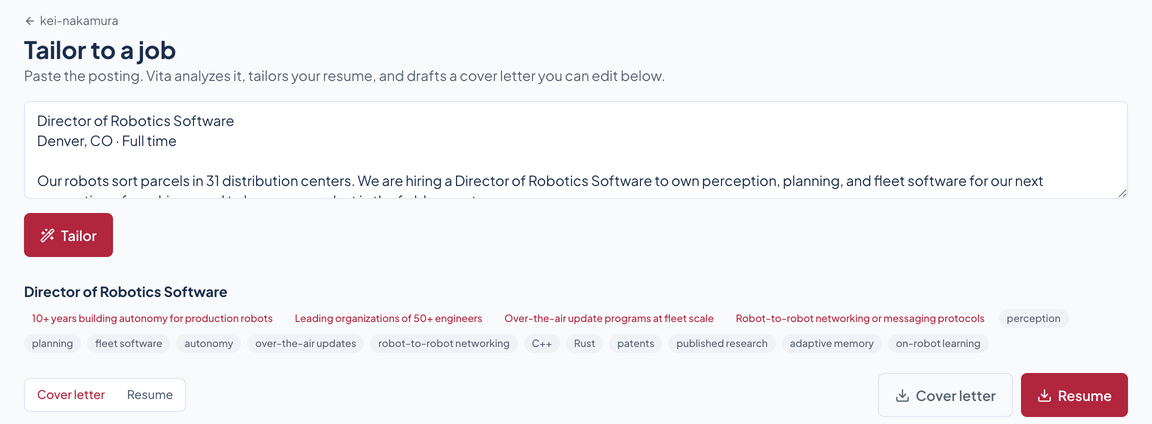
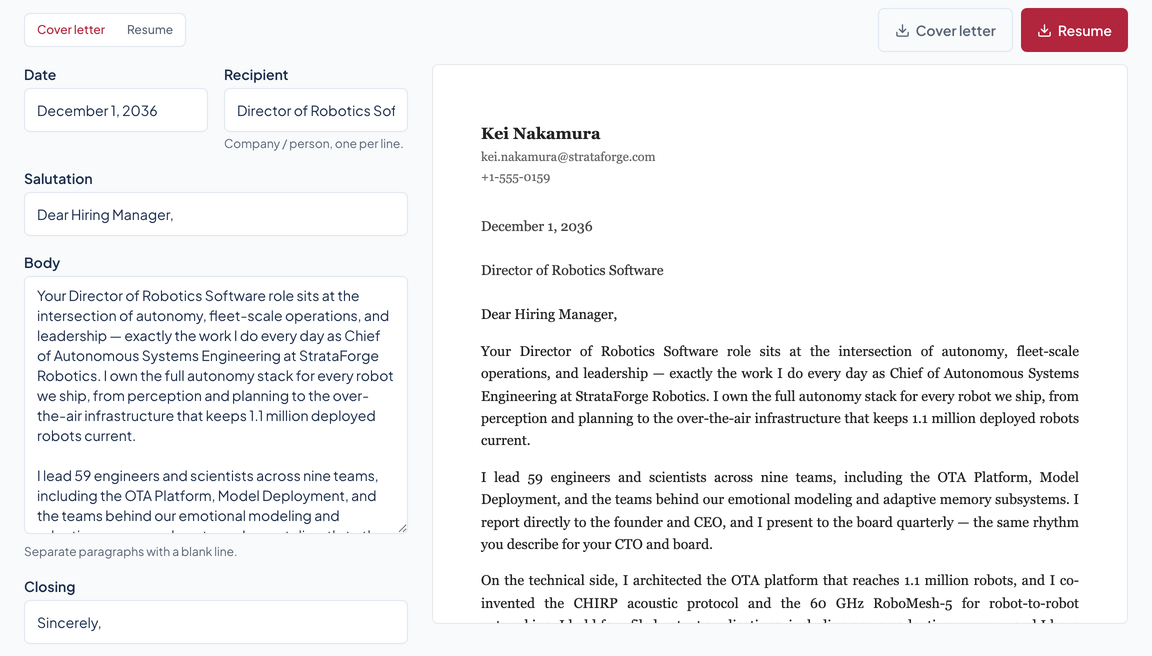
Tailor: As the beat drops again: “Paste the posting.” The real tailor screen, with the pasted posting ringed and the title it read out, Director of Robotics Software. “Four must-haves.” Each is ringed in turn with a mark, and the over-the-air one is held twice as long. “It picks 18 items.” Thirty-two marks, one for each item in Kei’s profile, with 18 lit and counted up. “A letter he can edit.” The real cover-letter editor’s fields and the rendered letter are ringed.
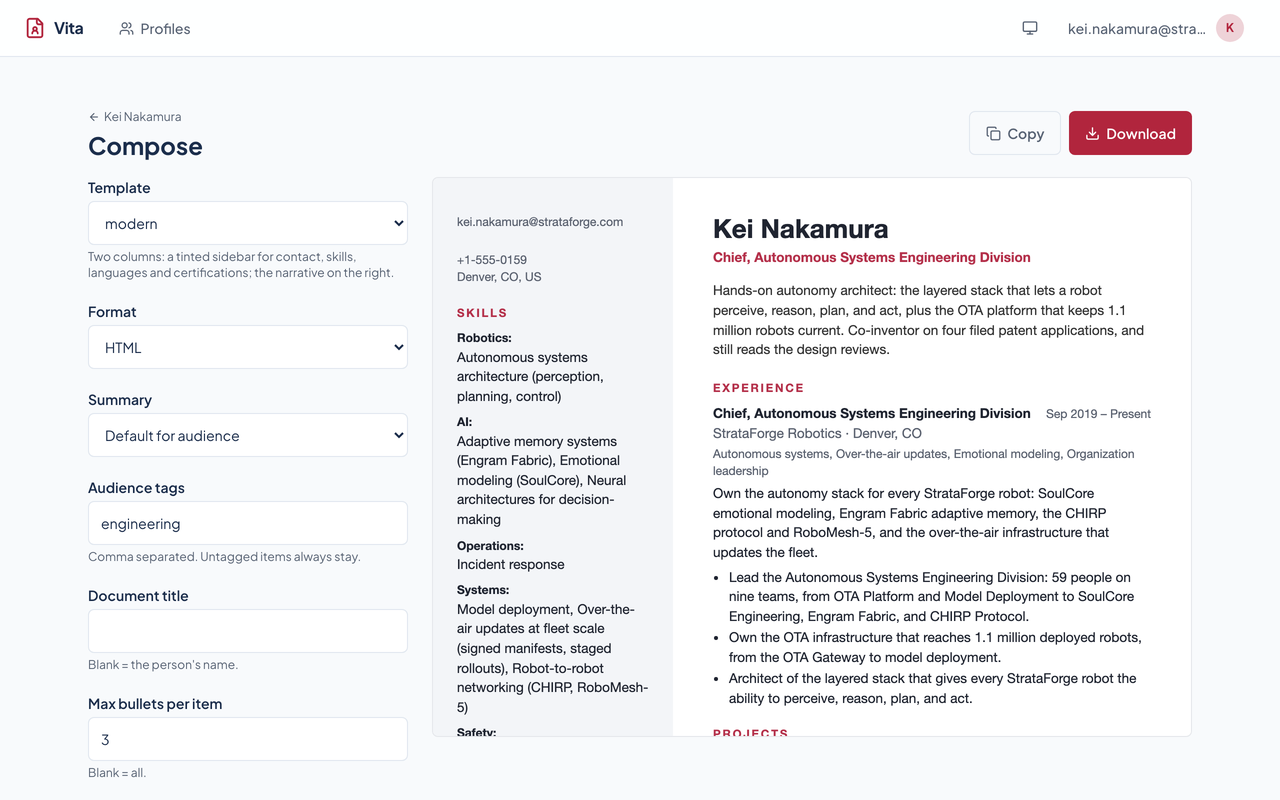
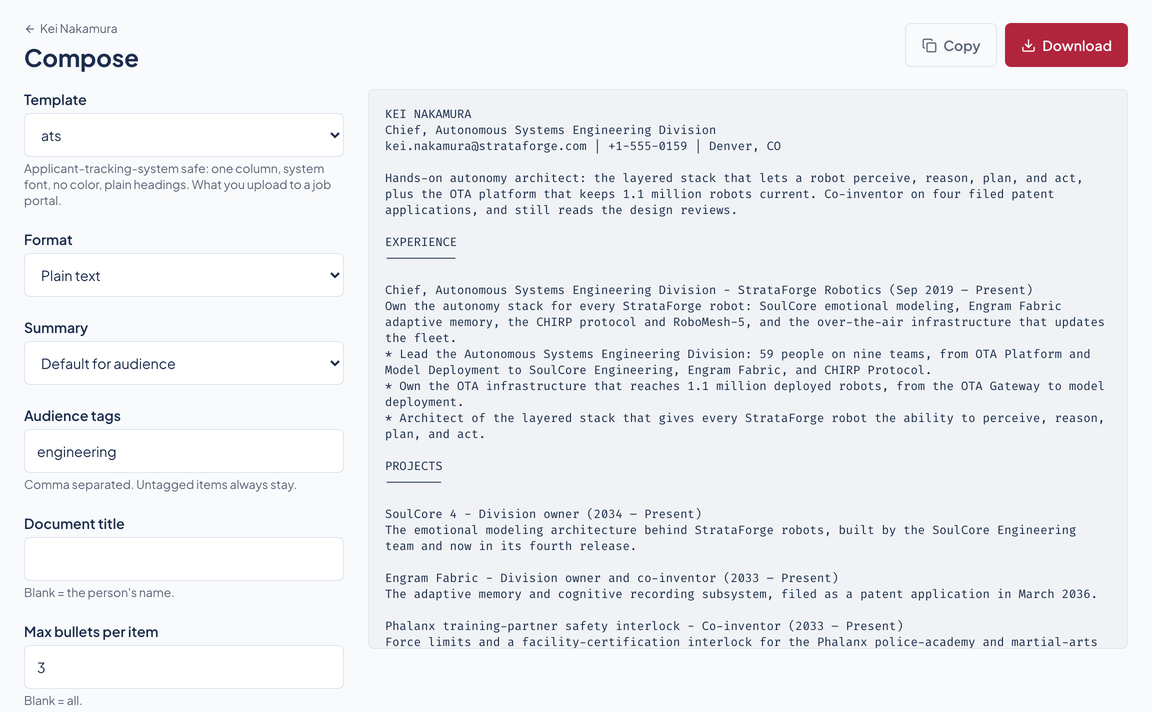
Export: “26 templates.” Six real renders arrive, classic, modern, executive, timeline, ats, and minimal, with 26 marks. “Pick the format.” Four tiles from the templates’ own files: HTML from all 26, plain text from 4, Markdown from 2, and JSON of his data from any. “Copy in one click.” The real Format picker and Copy button are ringed, then the label reads Copied.
Close: “One profile.” “Many audiences.” Two hits, one for each line.
End card: The mark, Vita, the tagline, “One career profile. Every resume you need.”, and the site’s own note about the app’s availability, on the final chord.
26 ways to tell the same career
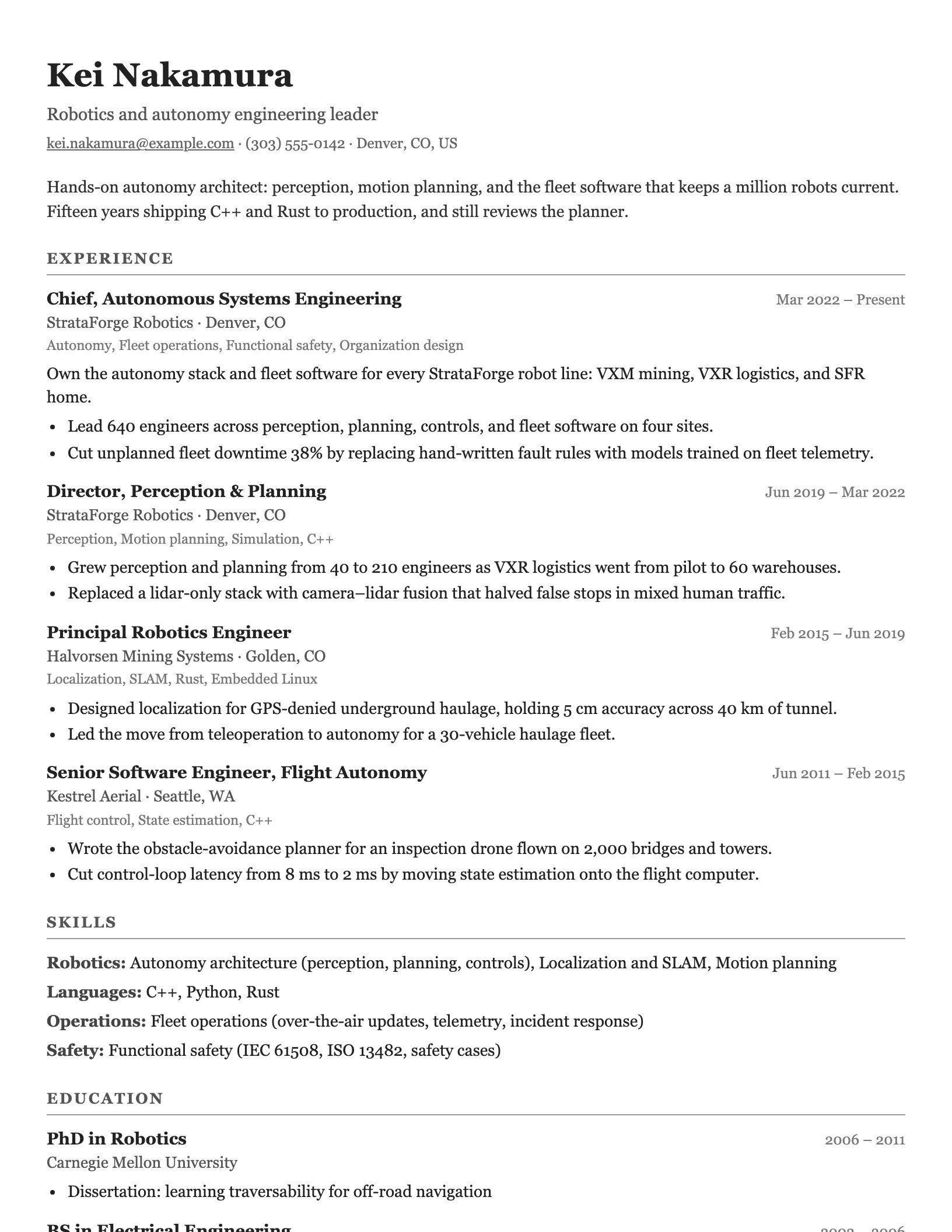
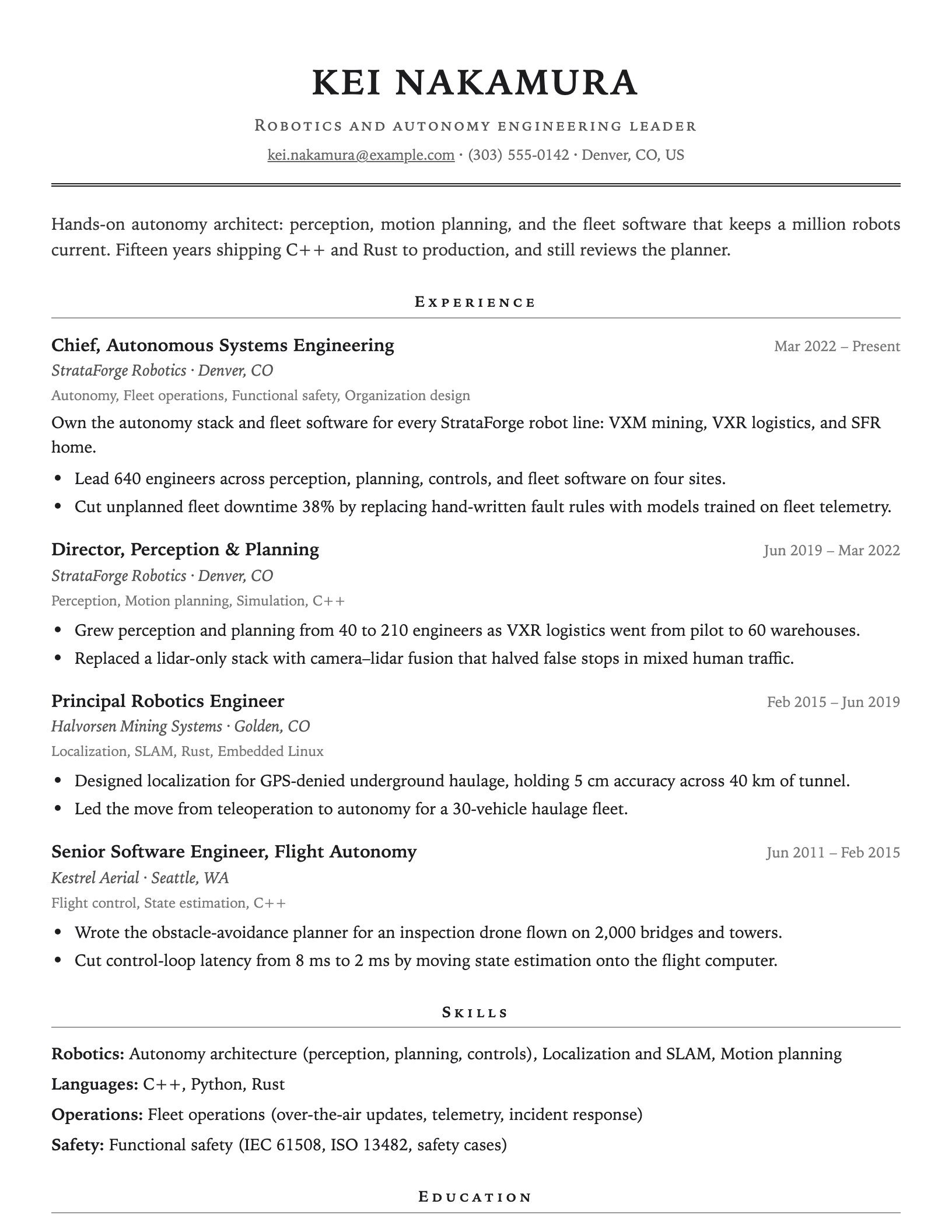
The same profile in six of them, composed by the real app. Choose one to see the whole page.
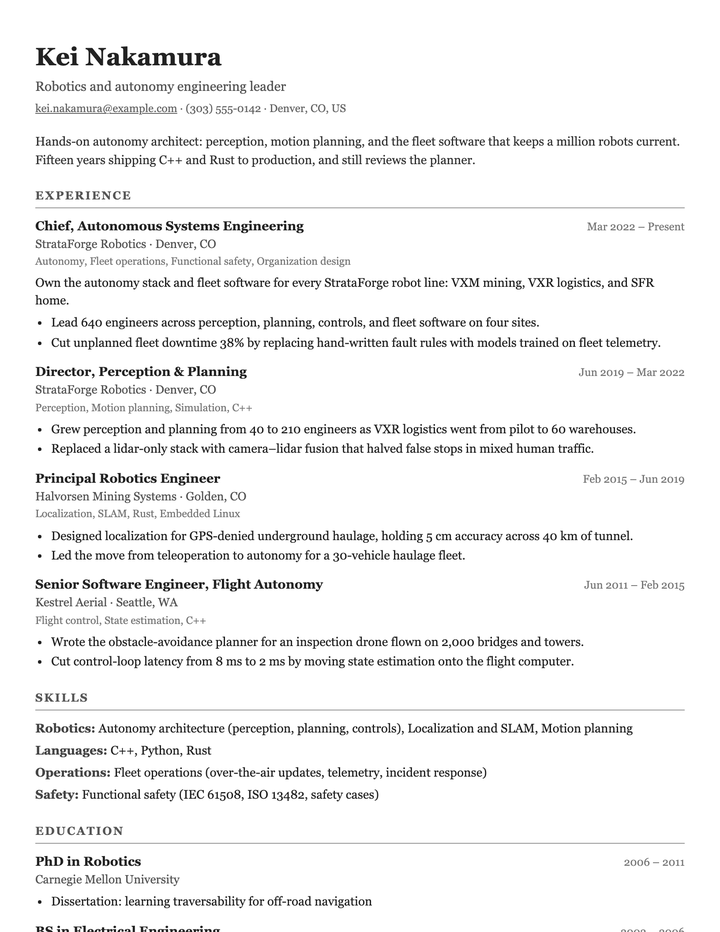
Classic
Single column, serif, traditional. The safe default for any audience.
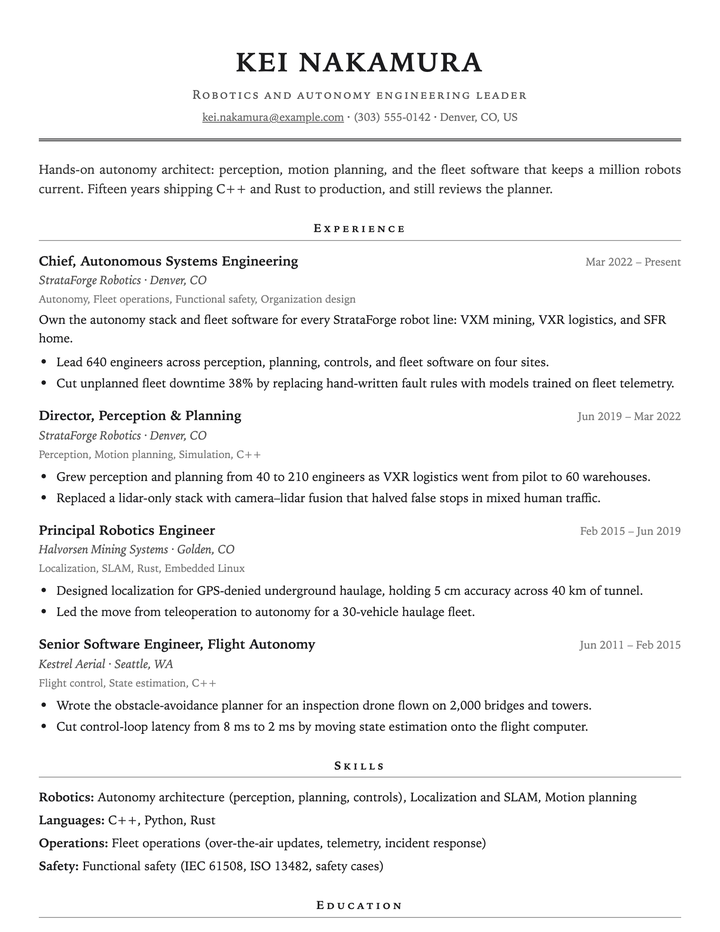
Executive
A centered name, small-caps rules, and a serif body, for C-level, VP, and board-facing roles.
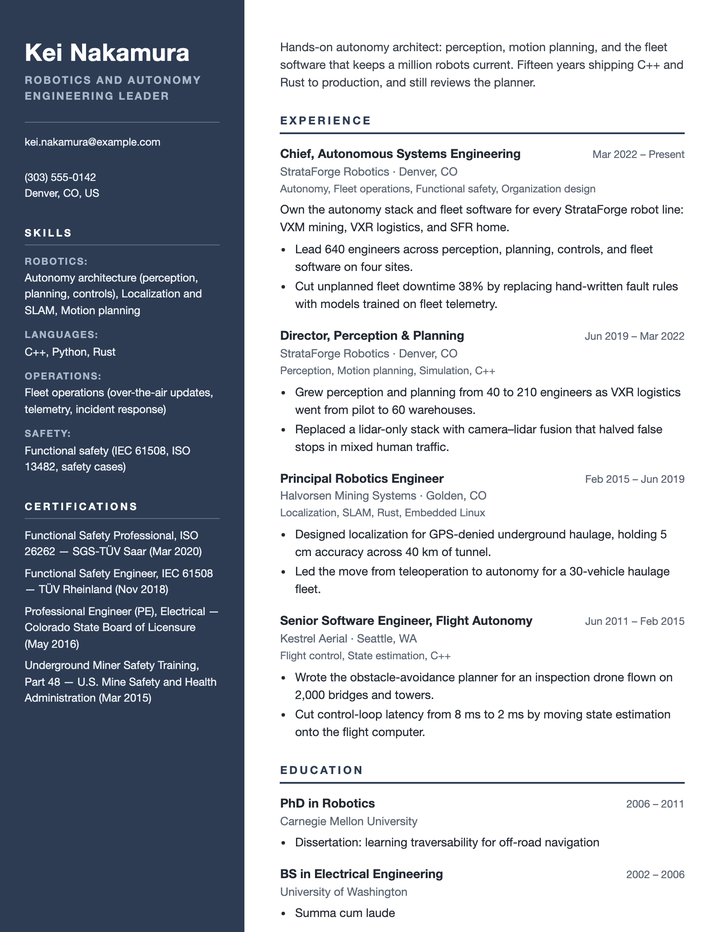
Cascade
Two columns, with a dark slate rail for contact, skills, and certifications.
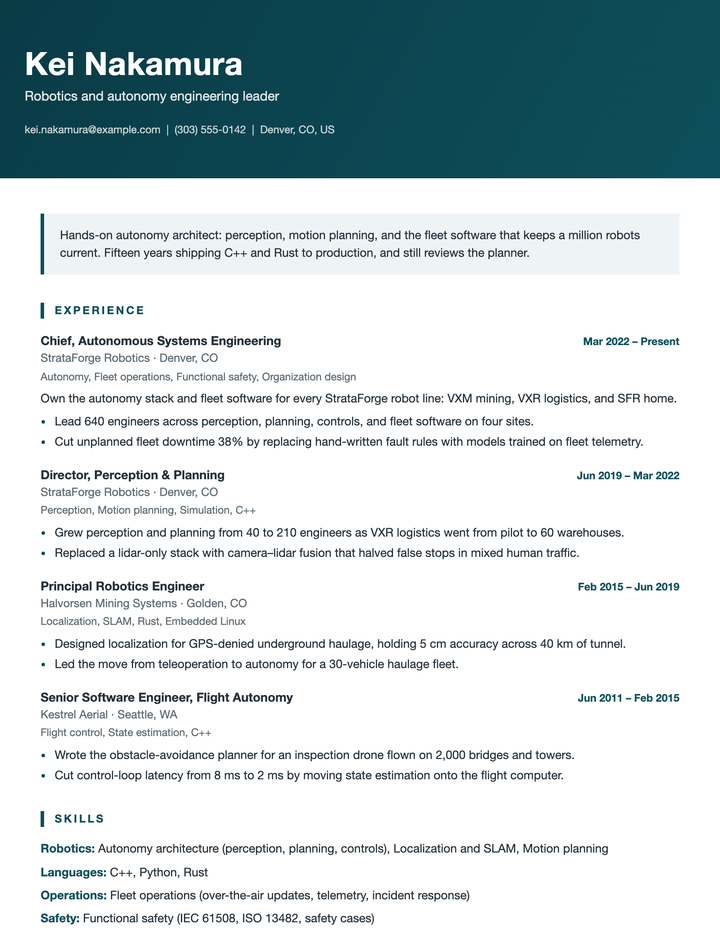
Horizon
A deep-teal band carries your name and contact over one clean column.
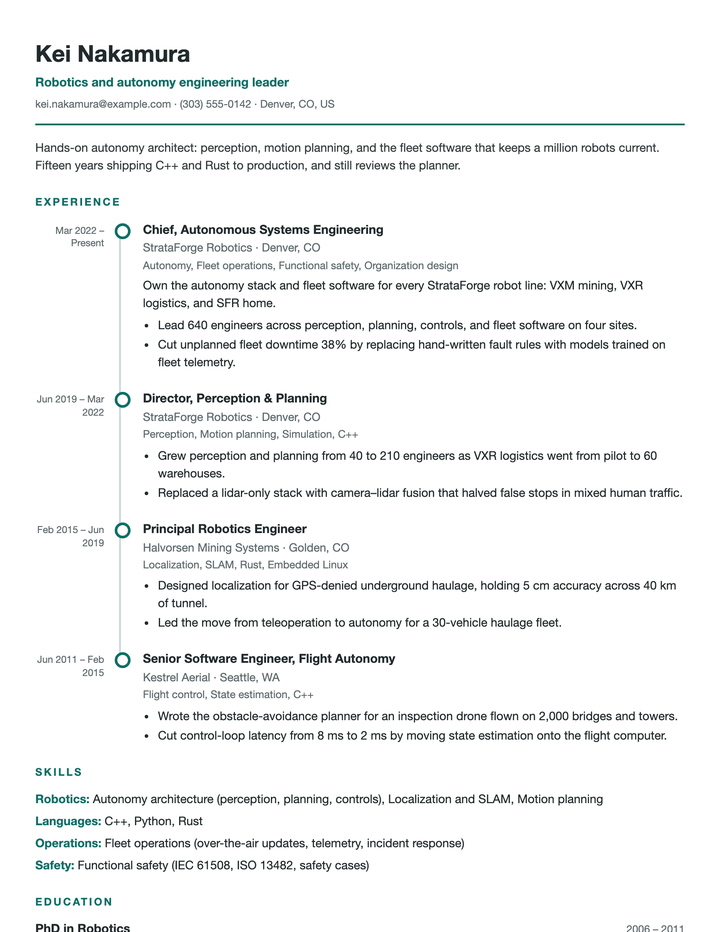
Timeline
Your roles along a vertical rail, one dot per job with its dates beside it.
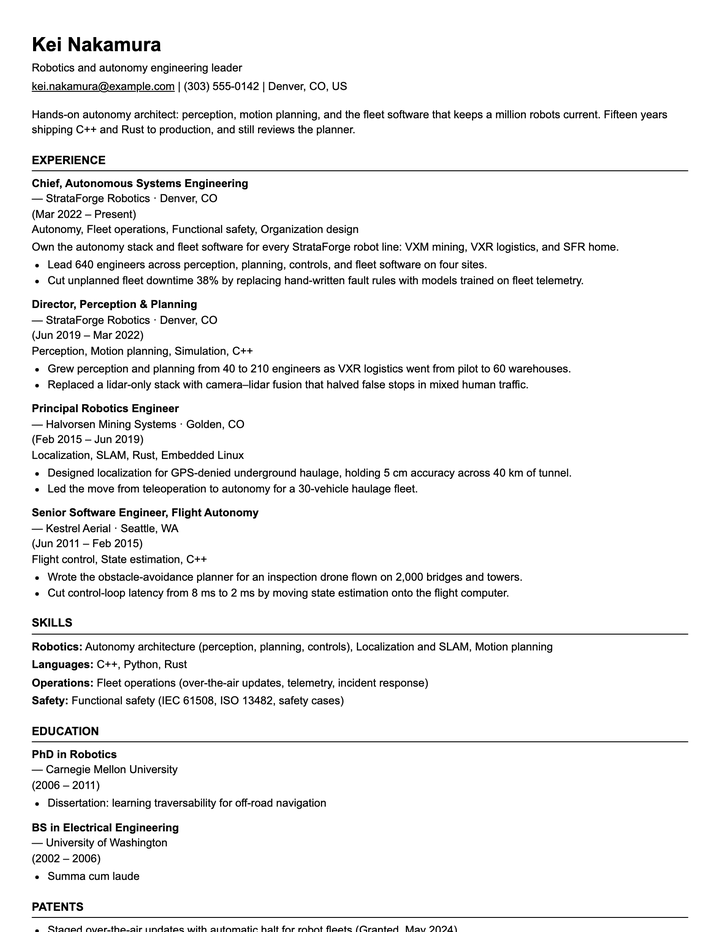
ATS
One column, a system font, and plain headings. What you upload to a job portal.
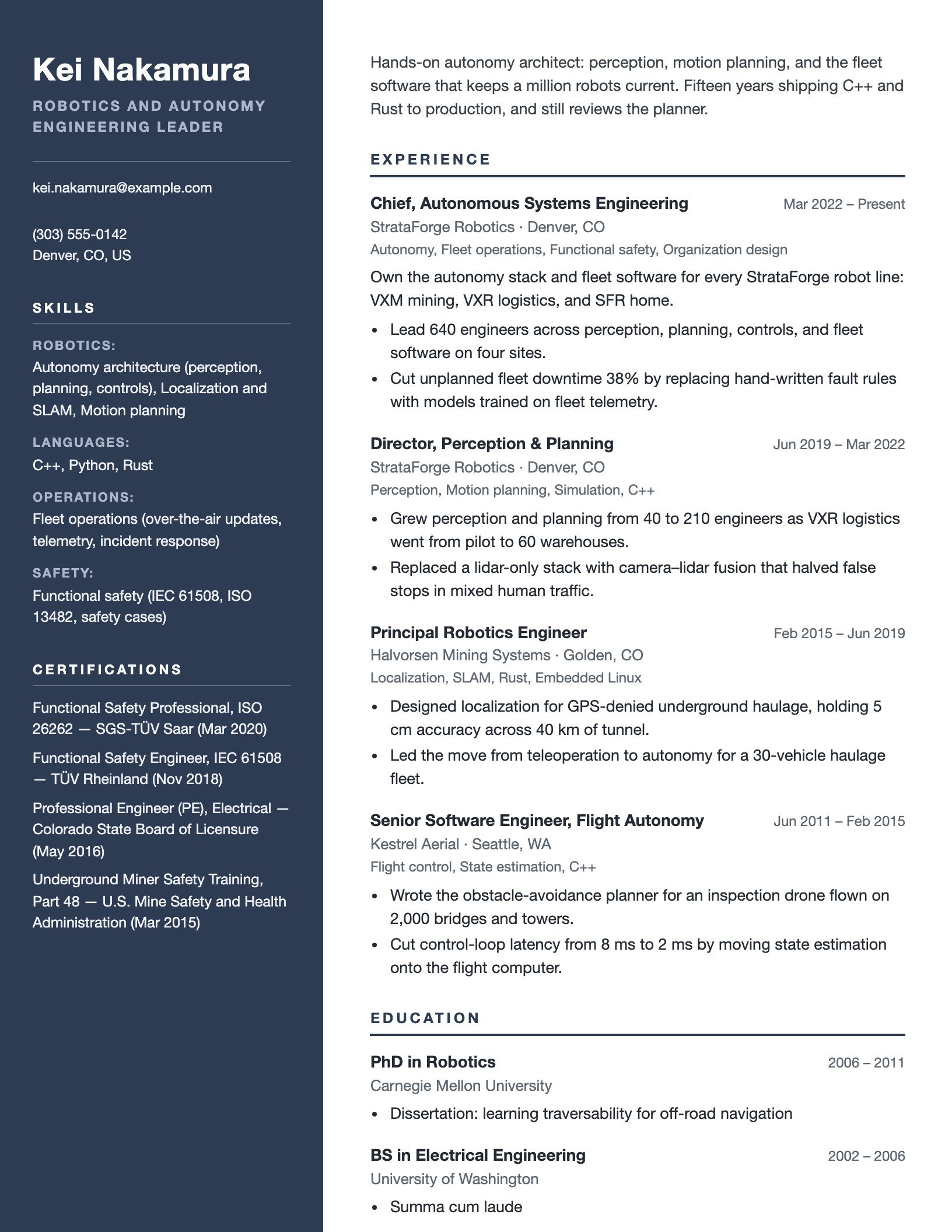
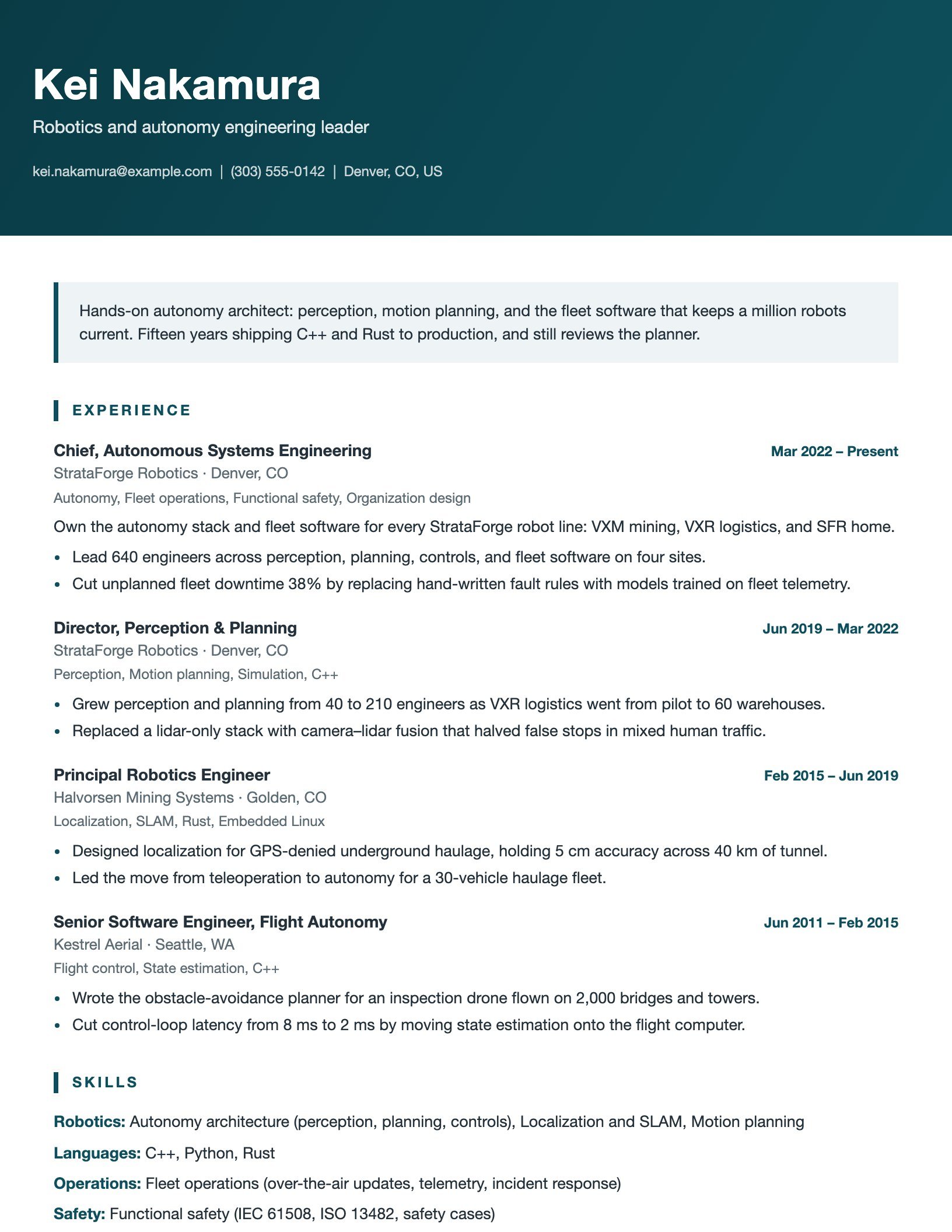
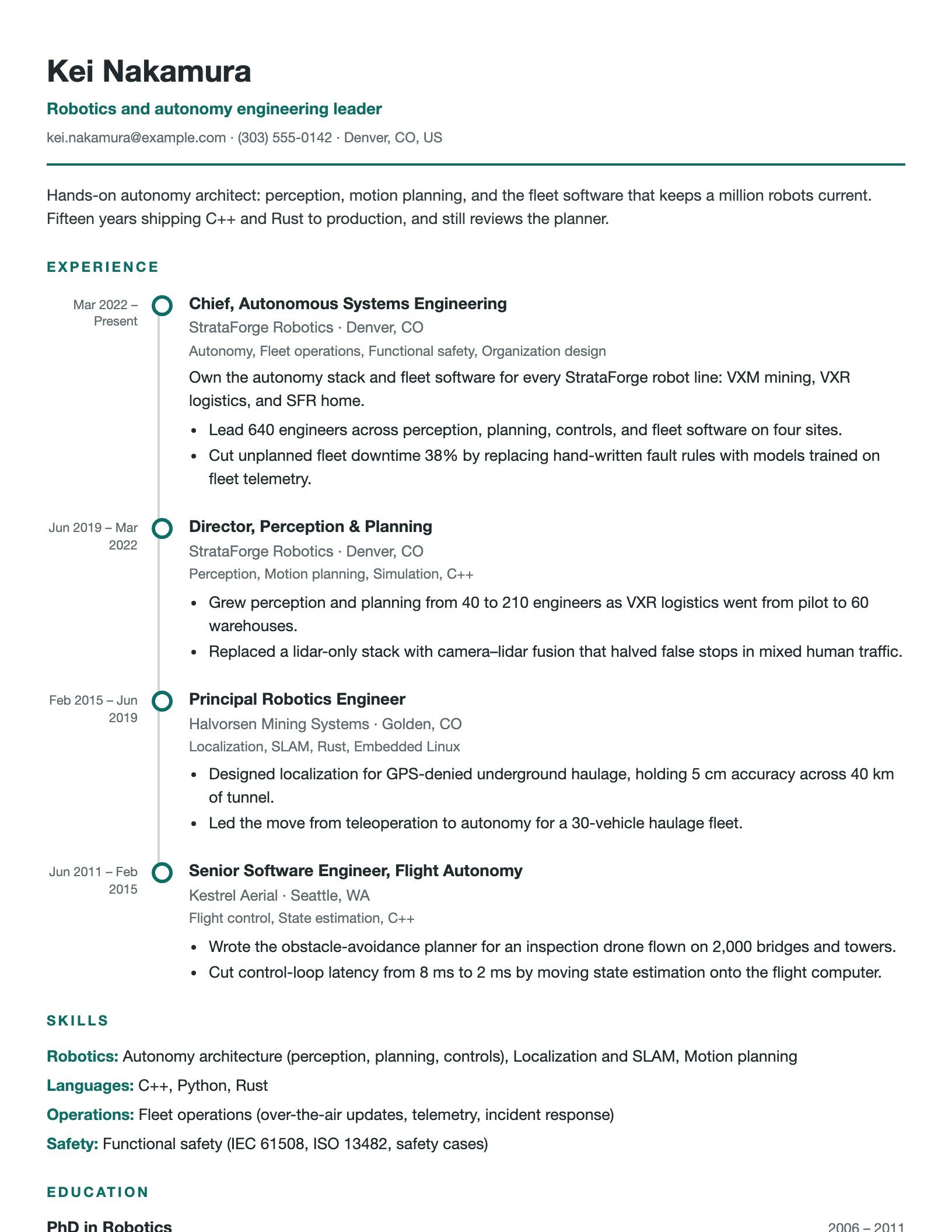
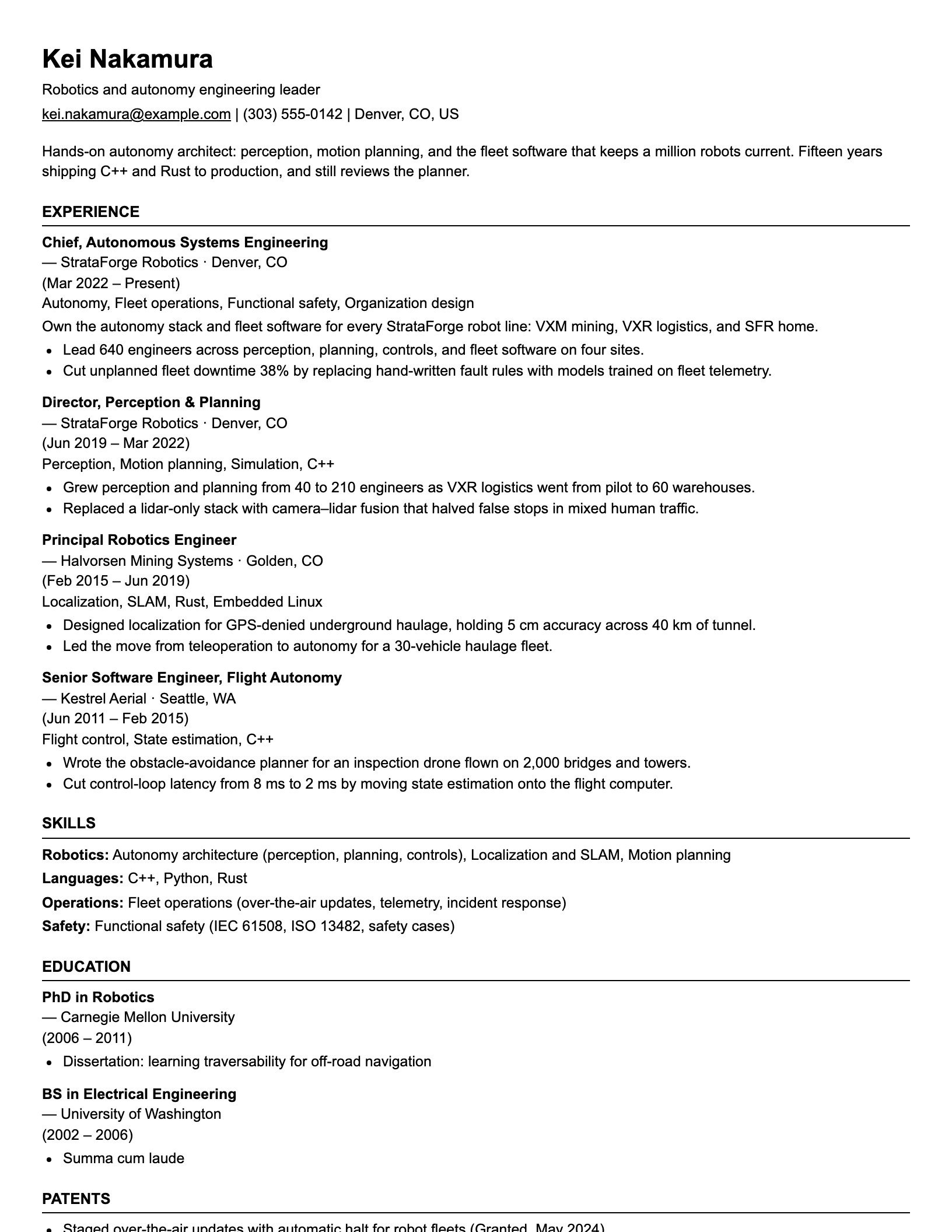
Everything a resume needs, from one profile.
Vita turns the resume you have into structured data, then composes the resume you need. These are the jobs it does today.
Upload it once
Upload it once
Drop in your current resume as PDF, Microsoft® Word (.docx or .doc), HTML, Markdown, or plain text, up to 10 MB. AI extraction turns it into structured data, and a heuristic engine is there when you prefer it.
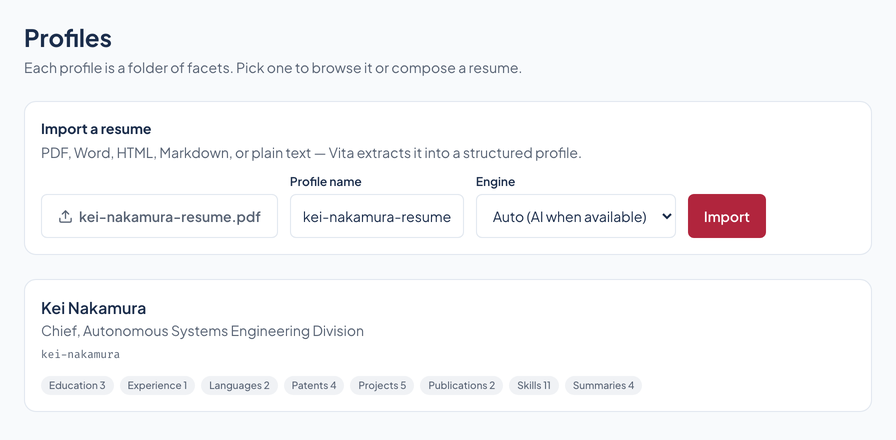
Your career, as data
Experiences, education, skills, projects, certifications, publications, awards, patents, languages, volunteer work, consulting engagements, affiliations, and summaries: thirteen categories. Every item is tagged, weighted, and reusable, and you can edit or add any of them.
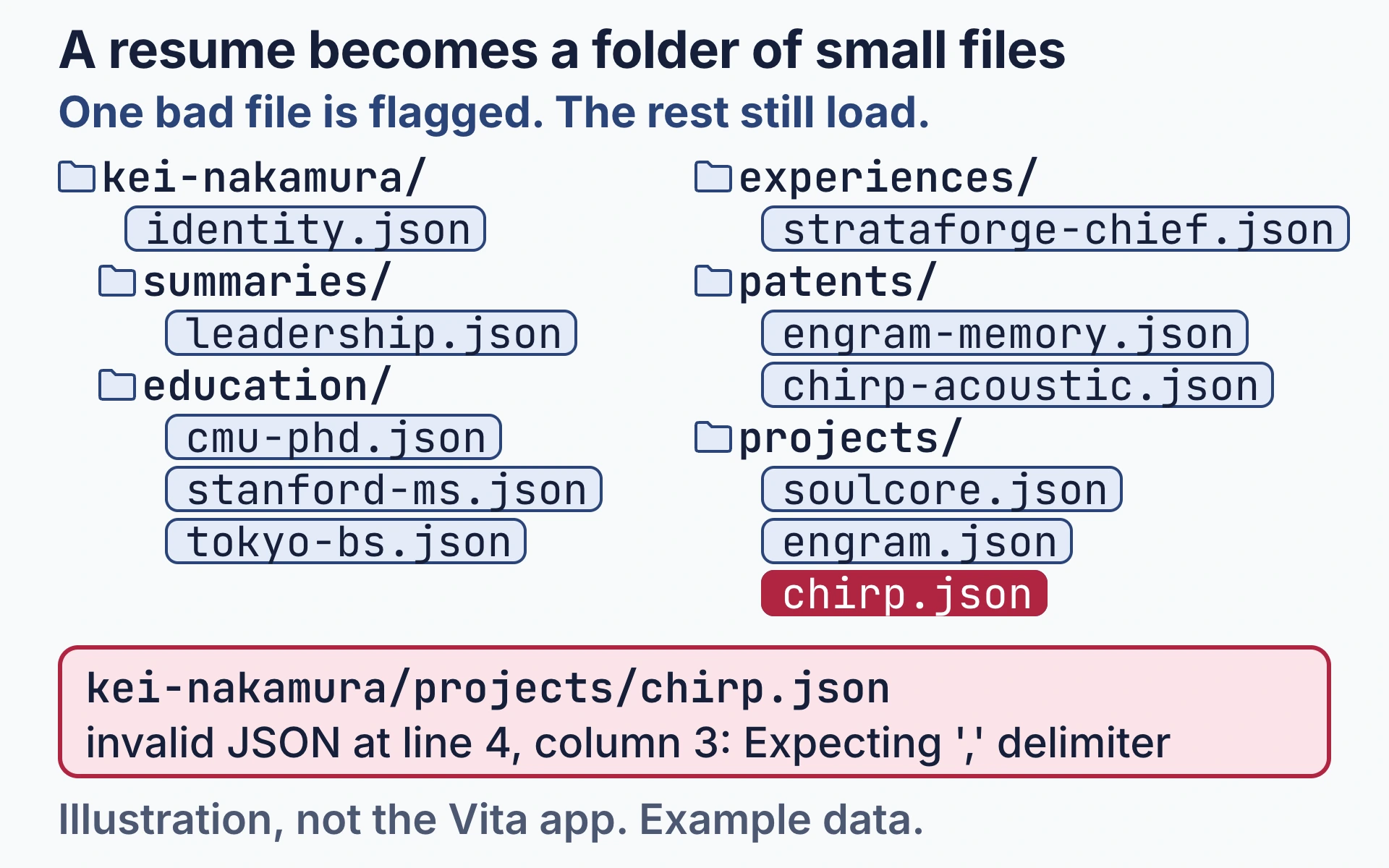
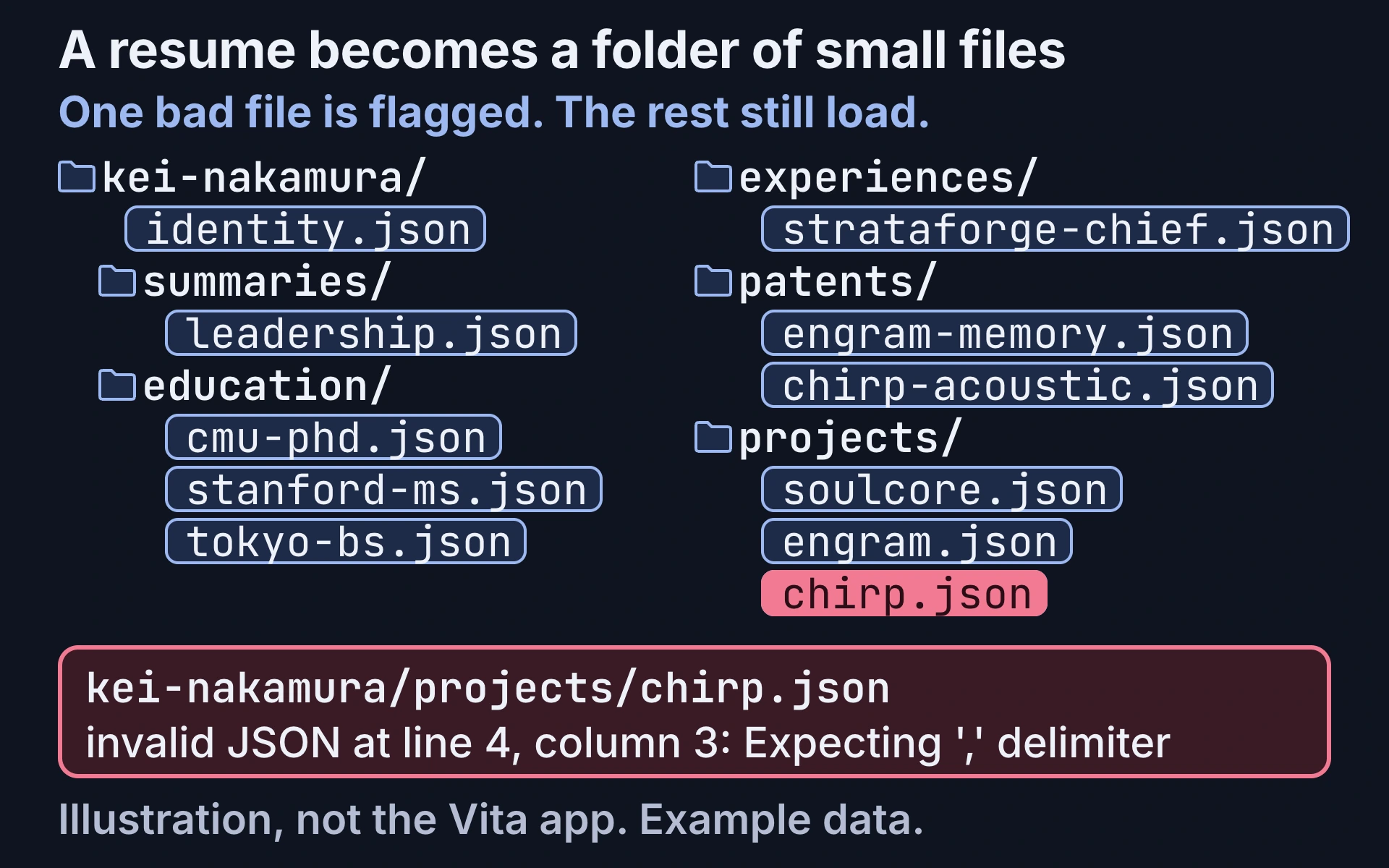
Illustration, not the Vita app, with example data. A page labeled resume.pdf, headed Kei Nakamura, gives way to files that fly out to a folder tree: kei-nakamura with identity.json and the folders summaries, education, experiences, patents, and projects, holding leadership.json, cmu-phd.json, stanford-ms.json, tokyo-bs.json, strataforge-chief.json, engram-memory.json, chirp-acoustic.json, soulcore.json, engram.json, and chirp.json. Each folder is outlined in turn. A panel opens beside leadership.json showing "tags": ["leadership"] and "weight": 10. Then chirp.json turns red, and a box shows kei-nakamura/projects/chirp.json with the message invalid JSON at line 4, column 3: Expecting ',' delimiter.
Nothing invented, nothing lost
Extraction keeps your words. Anything Vita cannot place cleanly is held in a review queue with the reason, instead of being written into your profile wrong. You fix it or dismiss it.
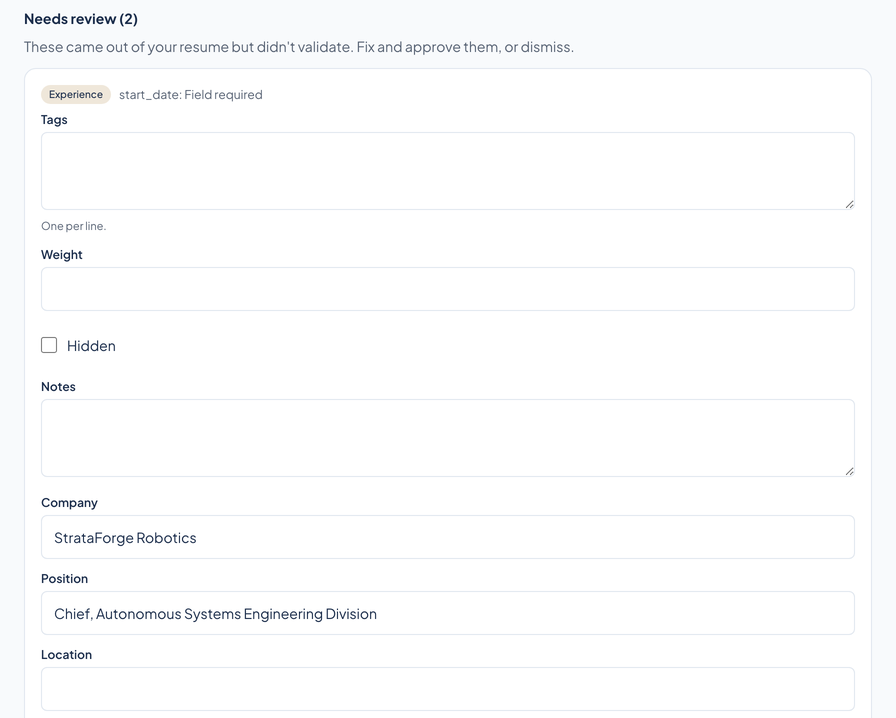
Vita's import review queue, with example data. The heading reads Needs review (2), and the first card, badged Experience, carries the reason start_date: Field required. In the card's form, Company is retyped as StrataForge Robotics, Position as Chief, Autonomous Systems Engineering Division, and Start date as 2019-09-02. A pointer presses Approve, and the heading then reads Needs review (1) over a card whose reason is company: Field required.
Many resumes, one profile
One profile, many resumes
Tag items by audience, such as engineering, leadership, or research, and compose a different resume for each. An untagged item belongs in every resume; a tagged one only where a tag matches. The preview updates live.
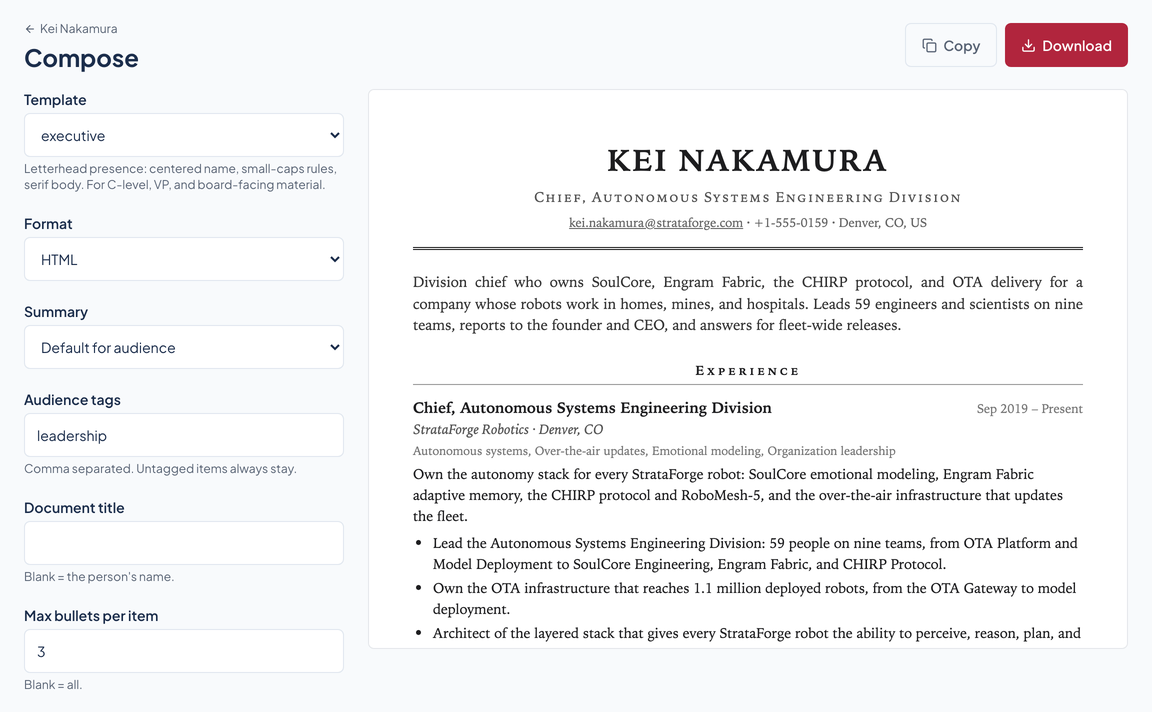
Vita's compose screen for Kei Nakamura, with example data, as a view that pans between the resume preview and the form. The preview is a two-column resume with a tinted sidebar whose summary begins "Hands-on autonomy architect". In the form, the Template box reads modern and the Audience tags box reads engineering; the Audience tags box is retyped as leadership and the Template box changes to executive. The preview becomes a centered-letterhead resume headed KEI NAKAMURA whose summary begins "Division chief who owns SoulCore". The form is then retyped to engineering and modern, and the first resume returns.
Tailor to a job description
Paste a posting. Vita reads it for role, seniority, keywords, and must-haves, then selects and reorders your matching experience and writes a resume plus a cover letter. It can choose what you have done, never add what you have not.
Templates that pass both tests
Twenty-six resume templates, from a classic serif page to two-column rails and a timeline, including an ATS template with one column, a system font, and plain headings. Five cover-letter designs match.
Formats and devices
Every format that matters
Each template exports the formats it makes: HTML, ATS-safe plain text, or Markdown. JSON of your own data comes from any of them. Download or copy in one click.
Looks right everywhere
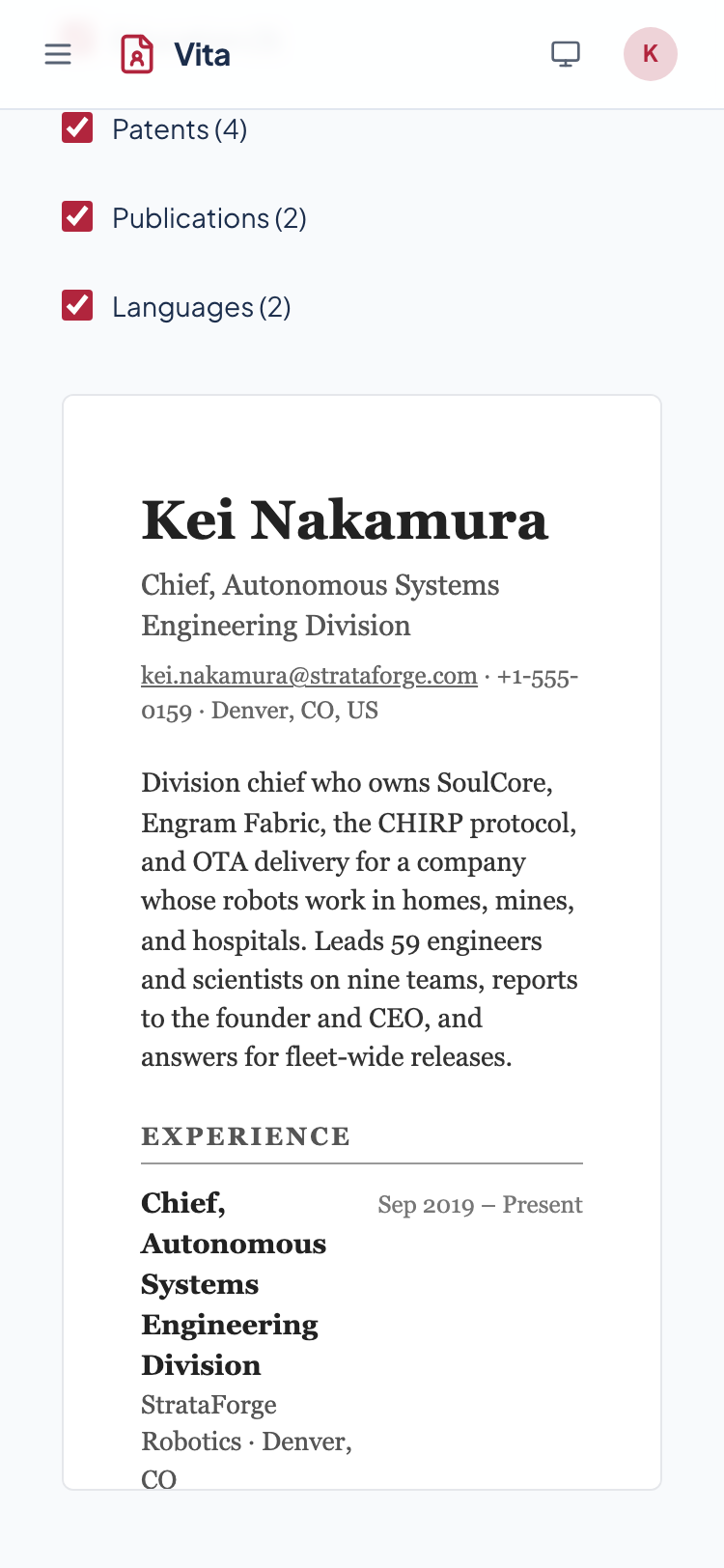
Full light and dark mode, and the app is checked at phone width. Compose, preview, and download from your phone.
See it in light and dark
Real captures of the running tool, with fictional StrataForge Robotics data. They follow your theme.
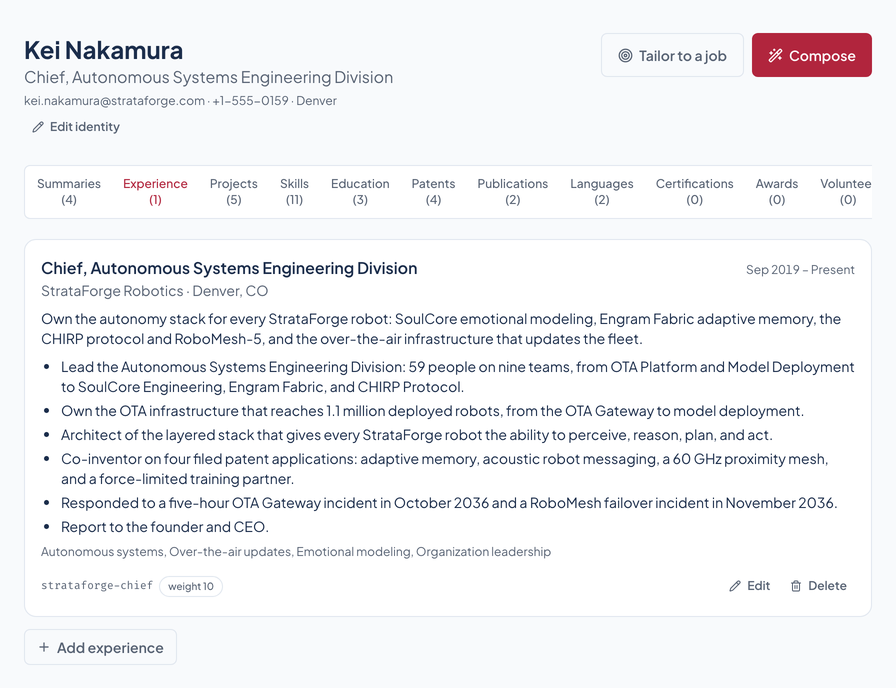
Three steps from the resume you have to the one you need
Upload
Drop in the resume you already have. Vita pulls every job, skill, and award into your profile.
Tailor
Pick an audience, and Vita composes the resume for it. Or paste a job description and get one written for that role.
Apply
Download recruiter-ready HTML, ATS-safe plain text, Markdown, or JSON, or copy it in one click.
Built so everyone can use Vita.
Vita's app is built on the Renkara design system and scanned with axe-core in light and dark at phone and desktop widths. This page says what that scan found, what has not been tested, and what we know is missing. We do not claim a WCAG conformance level for the product or this site.
Not yet tested
Keyboard operation
Vita's controls are standard buttons, links, and form fields from the Renkara design system, and its dialogs come from the same library. A keyboard-only walkthrough of every screen has not been recorded.
Partly supported
Screen reader landmarks and labels
axe-core, which checks names, labels, roles, and landmark structure, found no serious or critical violations on the five Vita views we scanned. The app has not been tested with a screen reader.
Partly supported
Contrast in light and dark
The brand color is checked against the app's card backgrounds in both themes, and axe-core's color-contrast rule ran on every scanned view in both themes.
Not yet tested
Reduced motion
Vita uses the Renkara design system's motion presets, which are designed to honor the reduced-motion setting. Vita's own tests do not check this yet.
Not yet tested
Text resize and zoom
Resizing text to 200 percent has not been tested in the app.
Supported
Mobile and touch
The app is checked at 375 by 667 pixels, and the scan recorded no sideways scrolling on the scanned views. This website is scanned at 375 and 1440 pixels in both themes on every build.
Under the hood
| Profile |
|
|---|---|
| Import |
|
| Compose |
|
| Interface |
|
| Stands in for | A folder of resume copies, Hand-edited cover letters, Resume-builder templates |
One plan. Everything in it.
No tiers and no add-ons. One plan, one price.
$10/month
Coming soon: the Vita app is not open yet. Questions? contact@renkara.com.
- Unlimited resumes, one for every audience you tag
- Unlimited cover letters, in 5 designs
- AI tailoring to any job description
- AI import from PDF, Word, and more
- All 26 resume templates
- HTML, Markdown, plain text, and JSON export
- Light and dark mode, on any device
Read the privacy policy and the terms of service.
Microsoft and Word are trademarks of the Microsoft group of companies. Vita is not affiliated with, endorsed by, or sponsored by Microsoft.
Questions people ask
Is my data private?
Yes. Your profile is yours, and Vita uses it only to build your profile and generate your documents. It is never sold, never used for advertising, and never used to train AI models. The privacy policy has the details.
Does it work with applicant tracking systems?
Yes. The ATS template is built for job portals: one column, a system font, and plain headings. When a portal asks for plain text, export the same resume as text.
Can I edit what the AI extracted?
Yes, everything. Every job, bullet, skill, and date is its own piece, and you can change any of them.
What formats can I upload?
PDF, Word (.docx and .doc), HTML, Markdown, and plain text, up to 10 MB each.
Can I subscribe and cancel yet?
Not yet. Billing is not live yet and the Vita app is not open, so nobody is being charged and there is nothing to cancel. The Terms page says how subscriptions and cancellation will work when they open.
Questions about this tool?
Write to Renkara Media Group and a person will answer.